How to get Subscriber’s Email Address in FeedBurner


Email Address in FeedBurner

Google FeedBurner email is a free service that allows Bloggers, podcasters, and commercial publishers to deliver their feed content to subscribers via email. This service helps the blog readers to stay updated.So, got a blog? want to know who and all subscribed to your site? Then, this post will serve your purpose. :)

If you want to earn more from Adsense checkout,
How do I add Google AdSense to my RSS feed?

Get Mail Id’s of Blog Subscribers

1. Sign in to you Feedburner account.
2. Goto Publicize.
3. Click Email Subscriptions
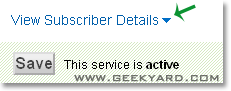
4. Scroll down and click View Subscriber Details


Detailed email subscribers view


5. You can find a long mail list of your blog subscribers.


Export your mail list in Excel format

6. You can export them in excel format by clicking on Export: CSV

That’s it :)

Here is another cool post worth reading :)
How To Find Fake Feedburner Subscriber Count of A Blog

The above post helps to find the original RSS feed count of a blog or website ;)

Popularity: 3% [?]

Related posts:

  1. How do I add Google AdSense to my RSS feed?
  2. How do I find my Google Adsense ID?
  3. How To Auto-Submit Your Content Feed To Digg
  4. How to Get Facebook Email Address
  5. How To Find Fake Feedburner Subscriber Count of A Blog

Subscribe to receive more Adsense, SEO,Blog Hacks articles to your Inbox

Share this Post:
Digg Google Bookmarks reddit Mixx StumbleUpon Technorati Yahoo! Buzz DesignFloat Delicious BlinkList Furl

No Responses to “How to get Subscriber’s Email Address in FeedBurner”

Leave a Reply:

Name (required):
Mail (will not be published) (required):
Website:
Comment (required):
XHTML: You can use these tags: <a href="" title=""> <abbr title=""> <acronym title=""> <b> <blockquote cite=""> <cite> <code> <del datetime=""> <em> <i> <q cite=""> <strike> <strong> <pre lang="" line="" escaped="" highlight="">

CommentLuv badge

Spam protection by WP Captcha-Free